
Kubernetes, kubectl, and Minikube: How They Work Together
A simple guide to understanding the difference between Kubernetes, the kubectl CLI, and Minikube for local development and learning
Website Visitors: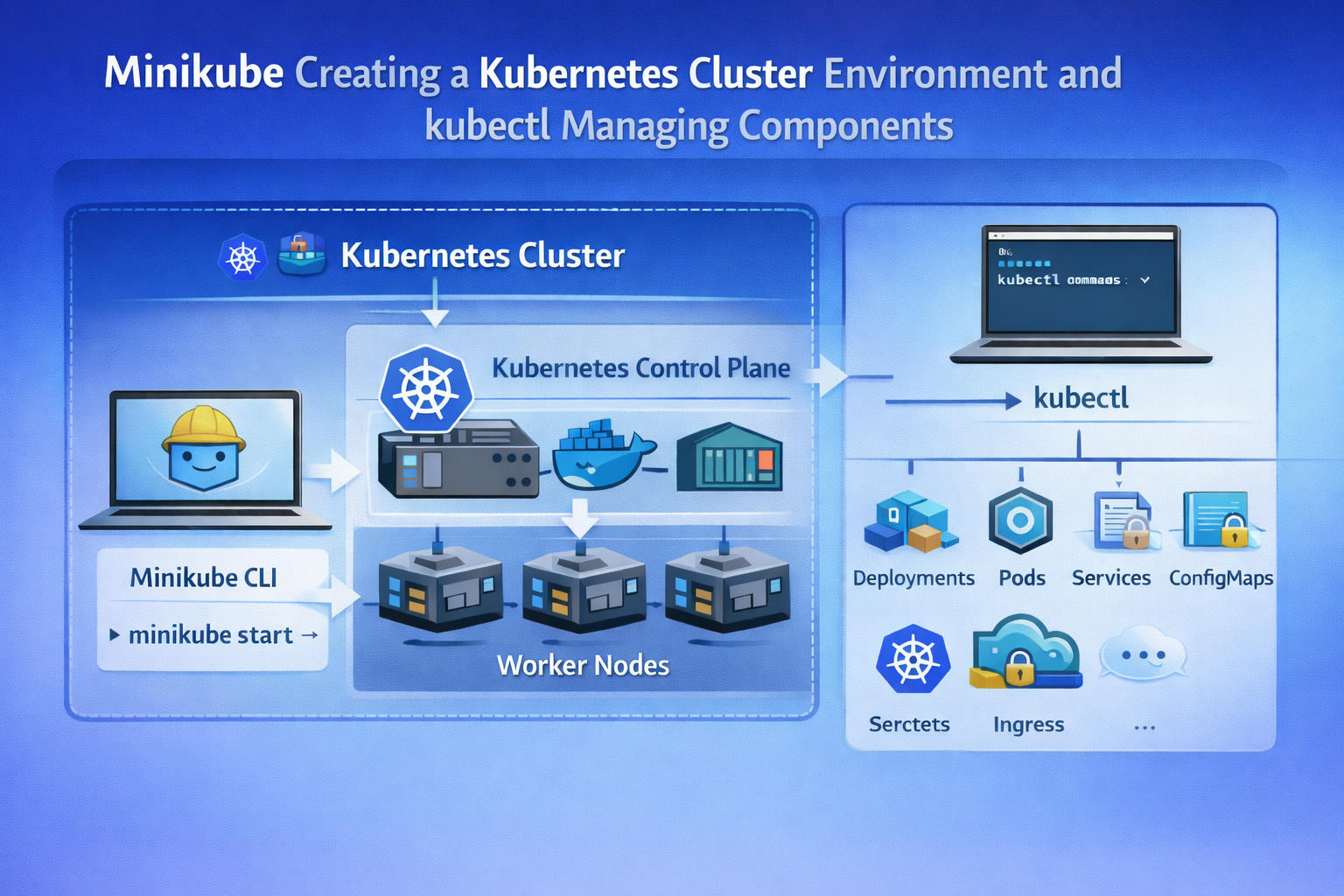
Understanding Kubernetes, kubectl, and Minikube
When learning Kubernetes, one of the first tools you encounter is kubectl. Many beginners assume Kubernetes “runs with kubectl,” but that’s not exactly true.
kubectl is simply a command-line client. It allows you to communicate with a Kubernetes cluster. When you run commands like kubectl get pods or kubectl get deployments you are sending requests to the Kubernetes API server, which then returns information about the cluster’s resources.
However, kubectl alone is not enough. It needs a running Kubernetes cluster to connect to. Without a cluster, those commands will fail because there is nothing to manage. This is where Minikube comes in.
Minikube is a tool that creates a local, single-node Kubernetes cluster on your computer. When you run minikube start minikube sets up the necessary Kubernetes components inside a virtual machine or container and configures your system so kubectl can communicate with it. This allows developers to experiment, test deployments, and learn Kubernetes without setting up complex multi-node infrastructure.
In simple terms:
- Kubernetes is the orchestration system.
- kubectl is the tool used to control it.
- Minikube provides a local Kubernetes environment for development and learning.
For production environments, companies typically use managed Kubernetes services such as
- Amazon Elastic Kubernetes Service
- Google Kubernetes Engine
- Azure Kubernetes Service
But for beginners and developers, Minikube offers a simple and practical way to get started. Understanding how these three pieces fit together is a key step in mastering Kubernetes.
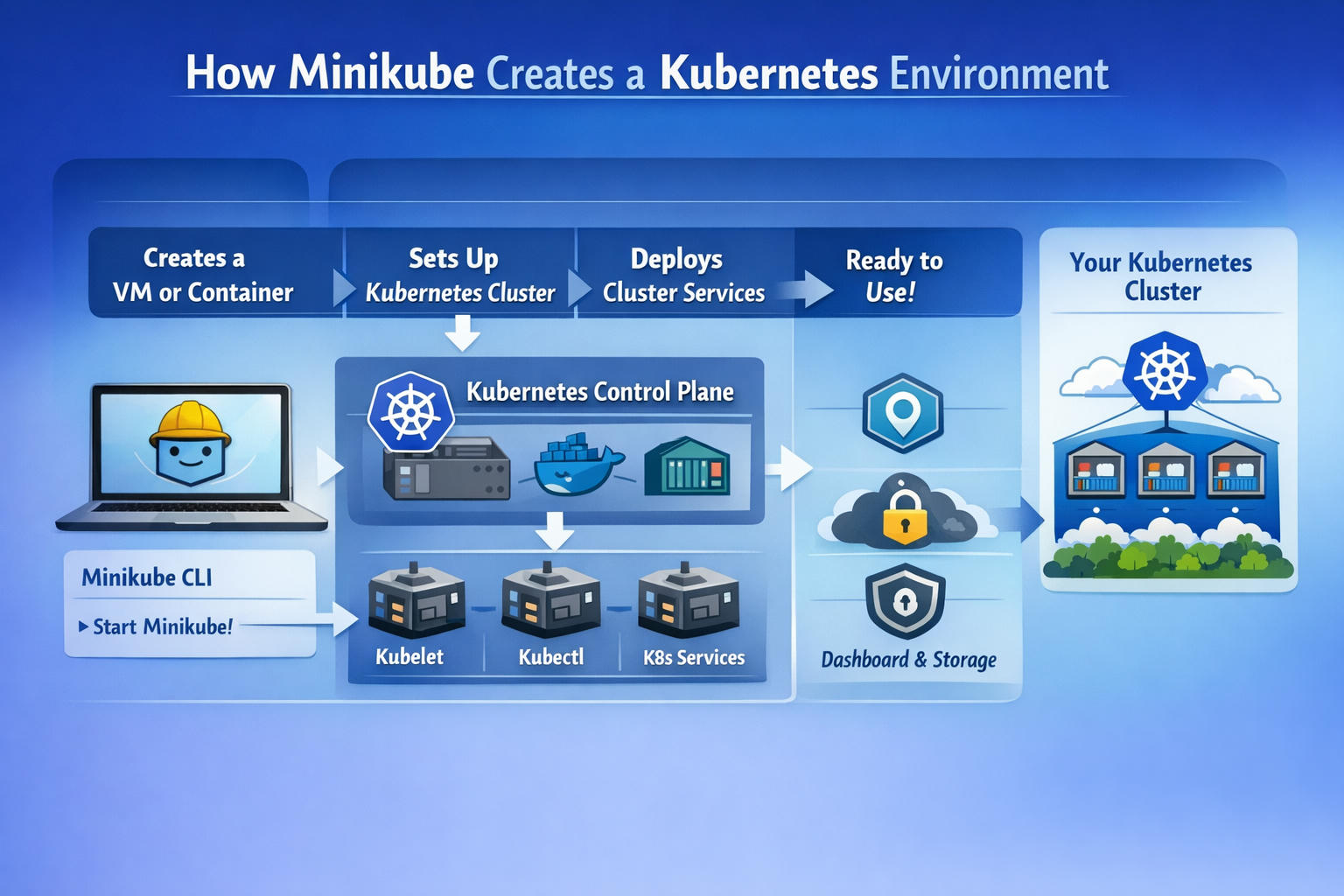
The above diagram depicts the lifecycle initiated by Minikube to provision a local, single-node Kubernetes cluster.
1. Minikube CLI Invocation
The process starts on a developer workstation via the Minikube CLI (minikube start).
Minikube acts as an orchestration wrapper that provisions infrastructure and bootstraps Kubernetes components.
2. Creation of a VM or Container
Minikube creates an isolated runtime environment using a driver:
- Virtual machine (VirtualBox, KVM, Hyper-V, etc.)
- Container-based runtime (Docker driver)
This environment becomes the node that will host the Kubernetes cluster. In Minikube’s default mode, this is a single-node cluster where control plane and worker components run together.
3. Kubernetes Cluster Setup
Inside the VM or container, Minikube installs and configures core Kubernetes components.
Control Plane Components
These manage cluster state and orchestration logic:
-
API Server Central entry point. All interactions (kubectl, controllers) go through it.
-
etcd Key-value store holding cluster state.
-
Controller Manager Runs control loops that reconcile desired state with actual state.
-
Scheduler Assigns Pods to nodes based on constraints and resources.
In a Minikube cluster, all of these run on the same node.
4. Node-Level Components
Running on the same machine:
-
kubelet Agent ensuring containers described in Pod specs are running.
-
Container Runtime Docker or containerd executes containers.
-
kube-proxy Implements Service networking and load balancing rules.
The diagram’s “Kubelet” and service blocks represent this execution layer.
5. kubectl Configuration
Minikube automatically updates kubeconfig to allow kubectl to communicate with the cluster via the API server.
This enables:
- Deployments
- Services
- ConfigMaps
- Secrets
- Other Kubernetes objects
6. Cluster Services and Add-ons
Minikube optionally enables:
- Dashboard
- Storage provisioner
- Ingress controller
- Metrics server
These are deployed as Pods and Services within the cluster.
7. Networking and Security
The icons for cloud, lock, and shield represent:
- Cluster networking (CNI plugin)
- TLS-secured API server
- RBAC authorization
Even though the cluster is local, it enforces Kubernetes security and API semantics.
8. Ready State
Once control plane and node components are healthy:
- The node reports
Ready - CoreDNS and system Pods are running
- The cluster can schedule workloads
The rightmost section of the diagram shows a logical Kubernetes cluster abstraction:
- Multiple Pods
- Exposed Services
- Internal networking
Architectural Reality
Minikube does not create a distributed production-grade cluster. It provisions:
- A single node
- Control plane and worker components co-located
- Simplified networking
- Local-only exposure (unless tunneled)
It reproduces Kubernetes control logic accurately but not production-scale topology.
The diagram illustrates:
CLI → Infrastructure Provisioning → Control Plane Bootstrapping → Node Agent Activation → Add-ons → Functional Local Kubernetes Cluster.
Your inbox needs more DevOps articles.
Subscribe to get our latest content by email.